
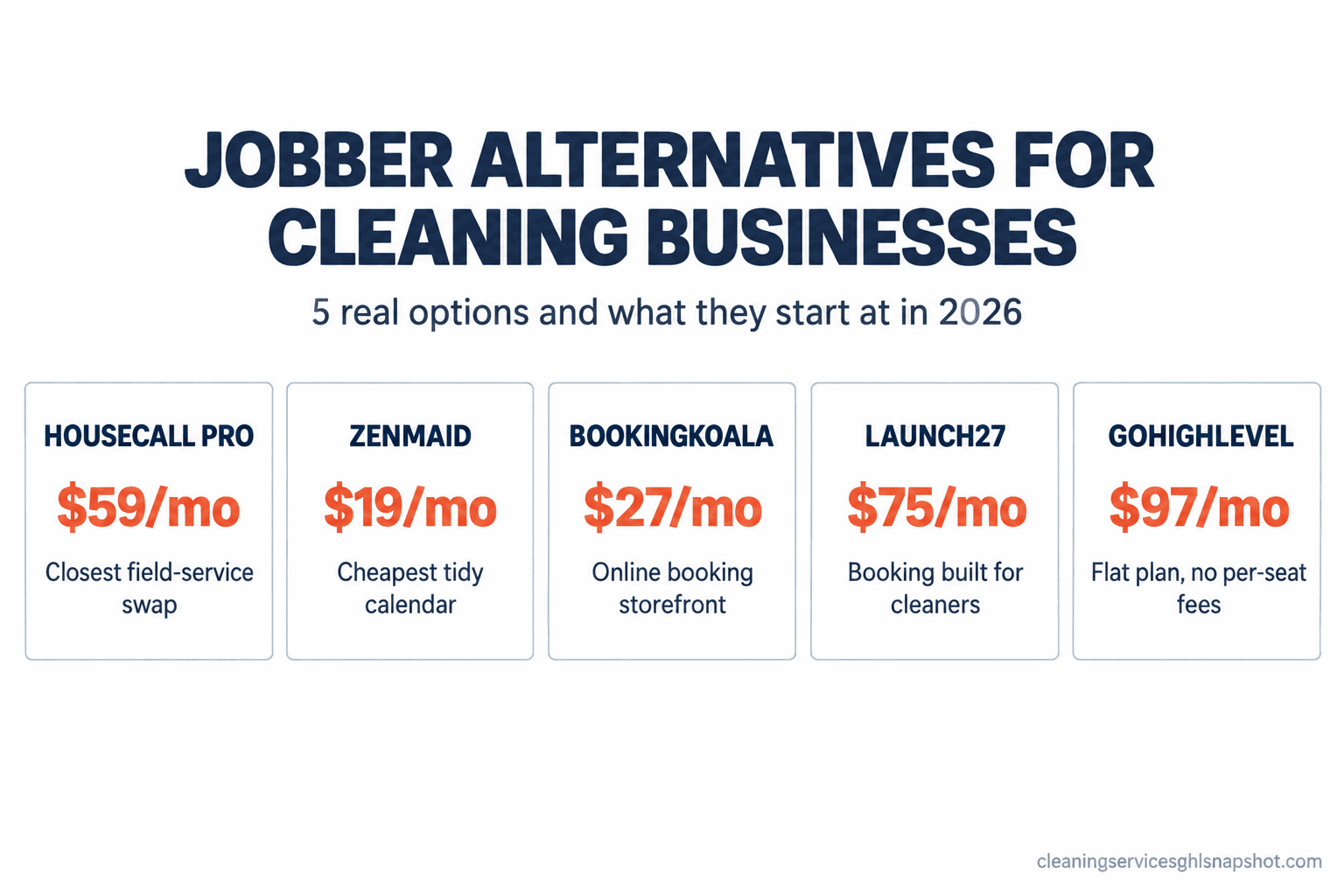
Here is the short version. Most cleaning owners do not leave Jobber because it is bad. They leave because the bill climbs as they hire, and the tools that actually get the phone to ring cost extra on top. Want the cheapest tidy calendar? ZenMaid. Sell most jobs online? BookingKoala or Launch27. Want the closest field-service swap? Housecall Pro. Tired of paying per seat and want the scheduler and the follow-up engine on one flat plan? GoHighLevel. Below is what each really costs in 2026, what switching costs you, and who should stay on Jobber.
I run a small GoHighLevel agency, and cleaning companies are most of my book. The call I get most is not “which software should I buy.” It is “I’m on Jobber, my bill went from $49 to almost $400, and am I getting robbed?” You are not. You are watching a per-seat plan plus a stack of add-ons do its job. Every price below is from the vendor’s own pricing page, linked, and every stat is sourced.
Sources: employment and wage, BLS OEWS, May 2025; market and business count, IBISWorld (2026).
Key Takeaways
- Jobber’s real cost is the seats plus the add-ons. Marketing Suite ($99/mo), Pipeline ($49/mo) and the AI Receptionist ($29/mo) are separate, and extra users are $29 each.
- There is no single best alternative. The right pick changes with how you get jobs and how many people you employ.
- Cheaper schedulers have a ceiling. They are great until “manage the calendar” stops being your bottleneck and “fill the calendar” takes over.
- Switching is not free. Budget for data export, re-entering recurring plans, retraining, and an overlap week.
- Moving your texting means re-registering it. Any tool that sends reminders needs its own A2P 10DLC campaign.
Table of contents
- The short answer: pick by how you get jobs
- Why cleaning owners actually leave Jobber
- Housecall Pro: the like-for-like swap
- ZenMaid: the cheapest tidy calendar
- BookingKoala: the online storefront
- Launch27: booking built for cleaners
- GoHighLevel: one flat plan, no per-seat creep
- What each one costs at three business sizes
- What switching actually costs you
- The texting you move has a compliance cost
- Steal this: the switch-day customer notice and crew texts
- Who should just stay on Jobber
- Common objections, answered straight
- Frequently asked questions
The short answer: pick by how you get jobs
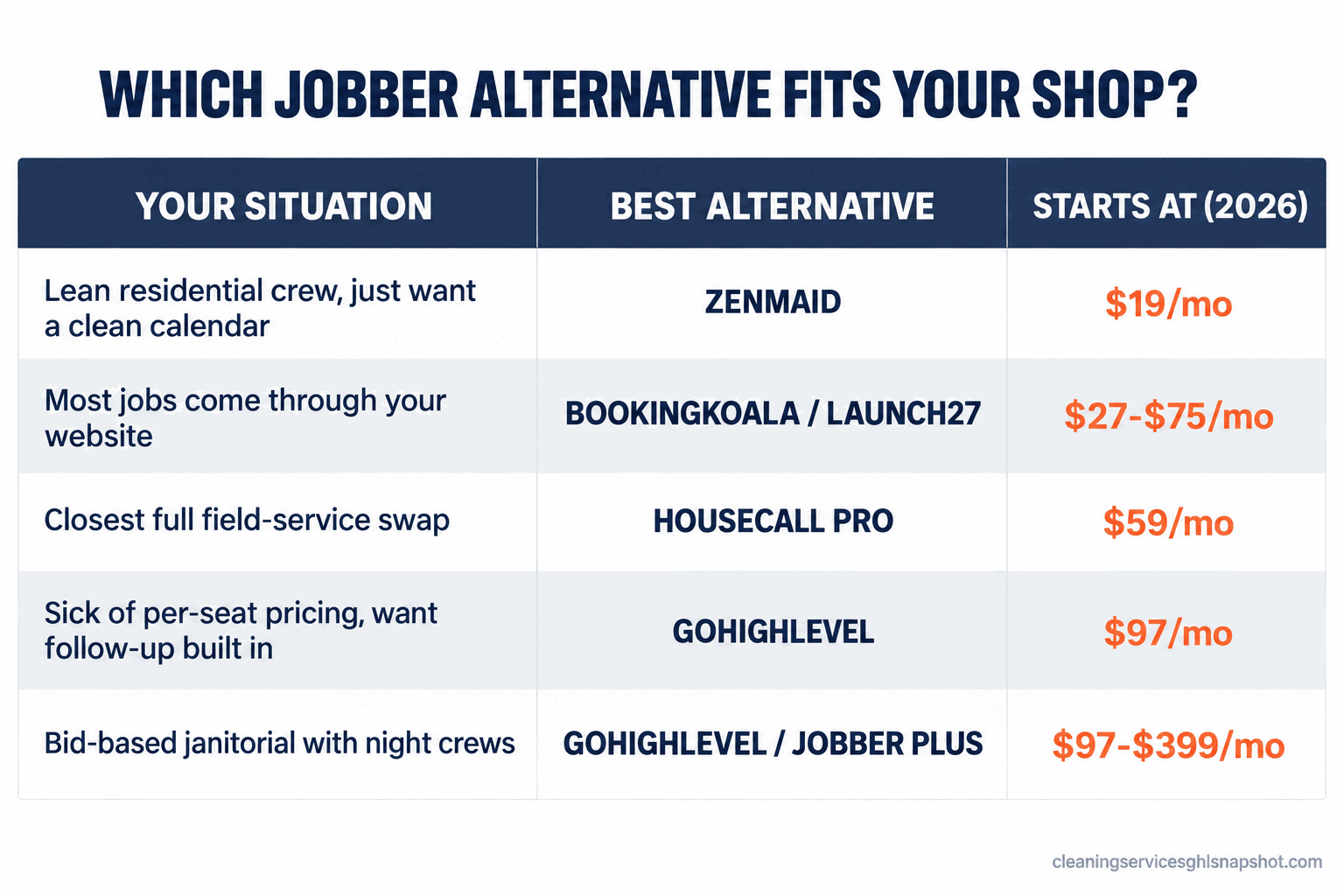
Before you compare a single price, answer one question: where do your jobs come from? That answer picks your tool faster than any feature chart.
| Your situation | Strongest Jobber alternative | Starts at (2026) |
|---|---|---|
| Lean residential crew, you just want a clean calendar | ZenMaid | $19/mo |
| Most jobs come through your website | BookingKoala or Launch27 | $27/mo · $75/mo |
| You want the closest full field-service swap | Housecall Pro | $59/mo (annual) |
| Sick of per-seat pricing, want follow-up built in | GoHighLevel | $97/mo |
| Bid-based janitorial with night crews | GoHighLevel or stay on Jobber Plus | $97/mo · $399/mo |
Why cleaning owners actually leave Jobber
Jobber is a genuinely good field-service platform. The reasons people leave are about the shape of the bill, not the quality.
The seats climb as you hire. Jobber’s plans are Core, Connect, Grow and Plus. Core is $49/mo (about $29 annual) for one user, and every extra user is $29/mo on top. The tool gets pricier at the exact moment you add a cleaner.
The growth tools are all add-ons. The lead-chasing engine is not in the base price. Jobber’s Marketing Suite is $99/mo, Pipeline is $49/mo, and the AI Receptionist is $29/mo, each billed separately below the top tier. Turn on all three and that is $177/mo before a single extra cleaner. I broke the full stack down in what Jobber actually costs a cleaning business.
Every card payment takes a cut. Jobber Payments processes cards at 2.9% plus 30 cents. A shop running $40,000 a month through cards pays over $1,100 a month off the pricing page.
Booking is a request form, not a storefront. It does not let a customer price a clean and lock a slot at 11pm without you. For a shop that sells online, that gap is the whole game.
The real monthly cost for a five-cleaner shop, sticker versus loaded:
Illustrative monthly Jobber cost, month-to-month, 2026, before card processing and texting. Connect at 5 users is $199; Marketing Suite adds $99; Pipeline ($49) and the AI Receptionist ($29) add $78. Source: Jobber pricing.
That jump from $49 to nearly $400 is the published price list doing its job.
Housecall Pro: the like-for-like swap
To leave Jobber without relearning field-service software, Housecall Pro is the closest swap. It runs the same core loop: booking, scheduling, recurring visits, estimates that become invoices, card payments, and a crew app with GPS and photos. Its 2026 plans are Basic at $59/mo, Essentials at $149/mo, and MAX at $299/mo on annual billing (monthly is $79, $189, $329). Basic includes one user, Essentials five, MAX eight. On MAX, extra users are $35/mo each. Card processing starts “as low as 2.59%.”
Who it fits. A larger or commercial crew that wants built-in marketing, reviews, and QuickBooks sync without a separate product, with photo-and-checklist quality control for teams that live and die on redo rates.
How it breaks for cleaners. It is not cheaper than Jobber. Essentials at $149 sits in the same band as Jobber’s Connect tier, and the per-user fee past your seat limit grows the bill with the crew, so it does not solve the climb. I put the two head to head in Jobber vs Housecall Pro.
ZenMaid: the cheapest tidy calendar
ZenMaid is the one tool here built only for residential maid services, and for a solo or two-crew shop it is hard to beat on price. Its 2026 tiers are Starter at $19/mo, Pro at $39/mo, and Pro Max at $49/mo. Starter caps you at 40 appointments a month; Pro is unlimited and adds GPS, checklists, payroll and QuickBooks. Each plan notes that SMS charges are not included, so reminders ride a separate usage-based bill: fine at light texting, north of the sticker once volume climbs.
Who it fits. A lean residential operator who books by phone or referral and wants a clean, cheap calendar with reminders.
How it breaks. ZenMaid assumes the job is already booked. It is not built to grab a lead the second it lands, text a quote before a competitor calls back, or win back a client who ghosted. When “fill the calendar” replaces “manage the calendar,” you outgrow it: the fork I covered in ZenMaid alternatives.
BookingKoala: the online storefront
BookingKoala is a booking-first tool, and its hook is the full storefront: an online booking website, a customer portal where clients reschedule and pay, and a provider portal for your cleaners. Its tiers are the most forgiving to start, at Starter $27/mo, Growing $57/mo, and Premium $197/mo, billed monthly. For an owner who sells most jobs online, that $27 to $57 entry buys a booking site and a customer portal where clients manage their own recurring plan, without a five-figure web build.
How it breaks. The starter price is the floor, not the ceiling. Pricing scales by provider count, so the bill grows with the crew, the features worth running live higher up the tiers, and SMS is an add-on. Like every booking-shaped tool, it is built for residential bookings, not janitorial bids and contracts.
Launch27: booking built for cleaners
Launch27 is the booking storefront purpose-built for cleaning companies. Its whole reason to exist is the booking flow: a customer picks a service, sees a price, and books a slot on your site without a phone call. Its 2026 plans run Base at $75/mo, Pro at $150/mo, and Plus at $299/mo, with unlimited users. You get booking, recurring plans, customer accounts and card payments in a tighter, cleaning-shaped product than the general platforms. I compared it against the rest in Launch27 vs BookingKoala vs ZenMaid vs Jobber.
How it breaks for a small shop. The entry price is higher than the schedulers, so a lean residential operator pays for a storefront before it pays them back. Texting is not the core of the product, so reminders still need a registered SMS campaign, and its residential-booking shape is not built for janitorial proposals and site-level reporting.
GoHighLevel: one flat plan, no per-seat creep
Every tool above is either per-seat or booking-shaped, and most leave the lead-chasing engine as a paid add-on. GoHighLevel flips that. It is a flat, seat-free platform: one plan covers unlimited users, and the follow-up engine (two-way SMS, missed-call text-back, pipelines, review requests, email, a booking calendar) is in the box, not a $99 extra.
Its plans are Starter at $97/mo, Unlimited at $297/mo, and Pro at $497/mo. The honest footnote: SMS, email and phone usage are billed separately on a usage wallet, so texting is a real line item. The difference is you are not also paying per cleaner or paying extra to unlock marketing: for a shop whose bottleneck has moved to filling the calendar, that is the piece Jobber charges three add-ons for.
Disclosure: the GoHighLevel link above is an affiliate link. If you start a plan through it we may earn a commission, at no extra cost to you. We recommend it because the Cleaning Snapshot is built on it, not because of the commission.
How it breaks. It is more tool than a solo operator with a tidy calendar needs, and it has a learning curve, which is why most cleaning owners either hire help to set it up or start from a pre-built configuration. Migrating onto it is a real project, covered in moving a cleaning business to GoHighLevel.
What each one costs at three business sizes
The right pick changes with your size, so run it three times. These are illustrative monthly plan numbers before texting, which adds roughly $30 to $150 on every tool depending on volume.
Illustrative monthly plan cost for a five-cleaner residential shop, before SMS and card processing, 2026. Jobber loaded is Connect at 5 users ($199) plus Marketing Suite ($99). Sources: Jobber, Housecall Pro, ZenMaid, BookingKoala, Launch27, GoHighLevel.
Solo or two crews. ZenMaid at $19 to $39 is the floor, and BookingKoala at $27 adds a booking site if leads come from the web. The per-seat problem does not exist yet, so do not overbuy. Price is not your reason to leave Jobber at this size.
Five employees (the hinge). This is where owners feel the climb. ZenMaid plus texting is realistically $60 to $120 all in; BookingKoala’s Growing tier lands in a similar band but adds the storefront; Housecall Pro Essentials is about $149; a loaded Jobber is near $300. GoHighLevel at $97 flat, with follow-up included, often undercuts the loaded field-service tools once you count the add-ons you were paying for anyway.
Fifteen-plus, or commercial janitorial. Here the per-seat tools get expensive fast and the booking tools run out of room. You need proposals, contract records, site-level reporting, night-crew scheduling, and follow-up that does not cost per seat. If you are deep in bid-based contracts and already have Jobber Plus dialed in, staying can be right. I walked the full math in what cleaning software really costs in 2026.
What switching actually costs you
Nobody puts this on a pricing page, so I will.
Data re-entry. Customers and basic job history export cleanly. What rarely moves is your recurring plans: the every-other-Tuesday-at-9 schedules that are the heart of a maid service. Rebuild those by hand. Miss one and a client no-shows a clean they never knew was cancelled.
Retraining the crew. Your cleaners learned one app. A new one means a week of “where do I mark this done” mistakes, so switch in a slow week.
The overlap week. Run both systems for a few days to confirm nothing fell through. Do not cancel Jobber the day you sign up elsewhere; cancel once a full billing and pay cycle has run clean on the new system.
The texting you move has a compliance cost
Every tool here can send reminders, “on my way” texts, and review requests. The second you turn that on from a new platform, US carriers expect that traffic to run through a registered A2P 10DLC campaign, the rule for application-to-person texting on local 10-digit numbers. Skip it and your texts get filtered or blocked, so reminders silently stop landing and your no-show rate climbs. This is the single most common thing owners forget when they switch. The consent rules still apply too: express written consent before marketing texts, a clear “reply STOP,” and reasonable hours. The full playbook is in TCPA and 10DLC compliance for cleaners.
Steal this: the switch-day customer notice and crew texts
When you move tools, clients and crew feel it unless you get ahead of it. Paste this, swap the brand name, and send it.
Customer heads-up (3 days before the switch):
Hi [First name], quick heads up: we’re upgrading our booking and reminder system this week to make scheduling easier for you. Your recurring clean stays exactly the same. You may get a text from a new number, that’s still us. Reply YES so you keep getting your reminders. Thanks for being a [Brand] client!
Re-confirm text (on switch day, so reminders keep landing):
Hi [First name], it’s [Brand]. We’ve moved to our new system. Your next clean is still [day] at [time]. Reply C to confirm or R to reschedule. Reply STOP to opt out anytime.
Crew switch note (the day before):
Team: starting [date] we clock jobs and upload before/after photos in [new app], not [old app]. Same schedule, new buttons. [Name] will walk anyone through it on [date] at [time]. Keep the old app installed one more week just in case.
“We tried to reach you” fallback (for clients who do not re-confirm):
Hi [First name], we didn’t hear back after our system upgrade and want to make sure your [day] clean still works. Reply YES to keep it on the calendar or call us at [number]. We’d hate to miss you.
Those four messages are the difference between a clean cutover and a week of “where’s my cleaner” calls: the same logic as a missed-call text-back.
Who should just stay on Jobber
Switching is not always the answer, and I talk owners out of it as often as into it. Stay on Jobber if:
- You are a solo or two-person shop at Core. At $29 to $49 a month you are not overpaying. Your money problem is leads, not software.
- You already run Jobber Plus well for janitorial work. If your bids, invoicing and dispatch are dialed in and the team knows the app cold, the migration cost outweighs the saving.
- Your only complaint is add-ons you do not use. Turn Marketing Suite and the AI Receptionist off, sit on a right-sized tier, and your bill is reasonable. Do not move to chase a $40 saving.
The owners who benefit from leaving are the ones whose bottleneck changed from managing the calendar to filling it.
Common objections, answered straight
“Won’t switching lose me customers?” Only if you switch silently. The data moves and the notice above keeps clients in the loop. The real risk is a dropped reminder during the cutover week, which the re-confirm text prevents.
“Isn’t a new tool just another bill?” Compare loaded to loaded. If you are on Connect plus Marketing Suite at nearly $300, a flat $97 plan with follow-up built in is a smaller bill doing more, even after texting.
“Do I need to be technical to run GoHighLevel?” No, but someone does during setup, which is why most owners hire help or start from a pre-built configuration. Once built, daily use is texts and a calendar.
Frequently asked questions
What is the best Jobber alternative for a small cleaning business?
For a lean residential crew that just wants a clean calendar, ZenMaid at $19 to $39 a month is the cheapest tidy option. If most jobs come from your website, BookingKoala at $27 a month adds an online booking storefront. Neither charges the add-on fees that inflate a Jobber bill, but both bill SMS separately.
Is there a Jobber alternative that doesn't charge per user?
Yes. GoHighLevel ($97/mo Starter) is a flat, seat-free plan with unlimited users, and it bundles the follow-up engine (two-way SMS, missed-call text-back, pipelines, reviews) that Jobber sells as paid add-ons. You still pay for SMS usage, but not per cleaner and not extra to unlock marketing.
How much does Jobber really cost after add-ons?
The $49 Core sticker is one user. A five-cleaner shop on Connect is about $199/mo, and the growth tools add up fast: Marketing Suite $99/mo, Pipeline $49/mo, AI Receptionist $29/mo, each billed separately, plus 2.9% plus 30 cents on every card. A loaded Jobber commonly lands near $300 to $400 a month.
What's the closest tool to Jobber for cleaning?
Housecall Pro is the nearest like-for-like swap. It does the same core loop and leans toward larger or commercial operations with built-in marketing and QuickBooks sync. It is not cheaper than Jobber, and it also charges per user above your seat limit.
Do I have to re-register my texting if I change tools?
Yes. Automated reminders and review requests from a new platform need their own A2P 10DLC campaign registered with the carriers. Skip it and your texts get filtered or blocked, which quietly raises your no-show rate. Treat registration as step one of any switch, and expect to rebuild your recurring schedules by hand, since those rarely export cleanly.